
What a testimonial release form should cover
A release turns "sure, quote me" into a record you can show later. On paper, in an email or in an online form, it should answer the same questions:
- Who agrees, and to whom. The customer's name and the business that may use the testimonial.
- Which words. The testimonial itself, or where and when the customer sent it.
- Which details may be shown. Name, job title, company and photo are separate choices: some people are happy to be quoted but not pictured.
- Where it may appear. Your website, social media, emails, printed material or advertising.
- Which edits you may make. Shortening and fixing typos is fine; changing the meaning is not. The US Federal Trade Commission's Endorsement Guides say an endorsement may not be reworded so as to distort the endorser's opinion or experience. Source: FTC, 16 CFR 255.1
- Whether they got anything in return. A discount, a free product or a payment is a connection your readers would not expect, so the Guides ask you to disclose it clearly next to the testimonial. Source: FTC, 16 CFR 255.5
- How to withdraw. Where you rely on consent to use someone's personal data, the GDPR lets them withdraw it at any time, and withdrawing must be as easy as agreeing. Source: GDPR, Article 7(3)
- The date, and a signature or a written yes. The UK's data protection regulator, the ICO, expects you to keep a record of who consented, when, how, and what they were told. Source: ICO, consent guidance
If the customer is under 18, ask a parent or guardian to sign as well. For more on each point, see permission to use testimonials.
Testimonial release form template
Copy it into a document or an email, replace everything in [brackets], and keep the signed copy with the testimonial. Print prints the release on its own.
Asking by email? A short reply-to-agree version covers the same points:
Subject: May we quote you on our website?
Testimonial consent form or release form?
Both names describe the same thing: the customer's written agreement that you may publish what they said. "Release" is more common on paper, "consent form" online, where the agreement is usually a question next to the feedback itself.
Online, two rules from UK and EU data protection law shape that question:
- Consent has to be a clear, positive act. Silence, pre-ticked boxes or doing nothing do not count. Source: GDPR, Article 4(11) and Recital 32; ICO, what is valid consent?
- A request for consent that shares a page with other matters, such as your terms of business, has to be clearly distinguishable from them. Source: GDPR, Article 7(2)
So ask separately, start with nothing ticked, and never bury permission in small print.
How TrustClap records consent instead
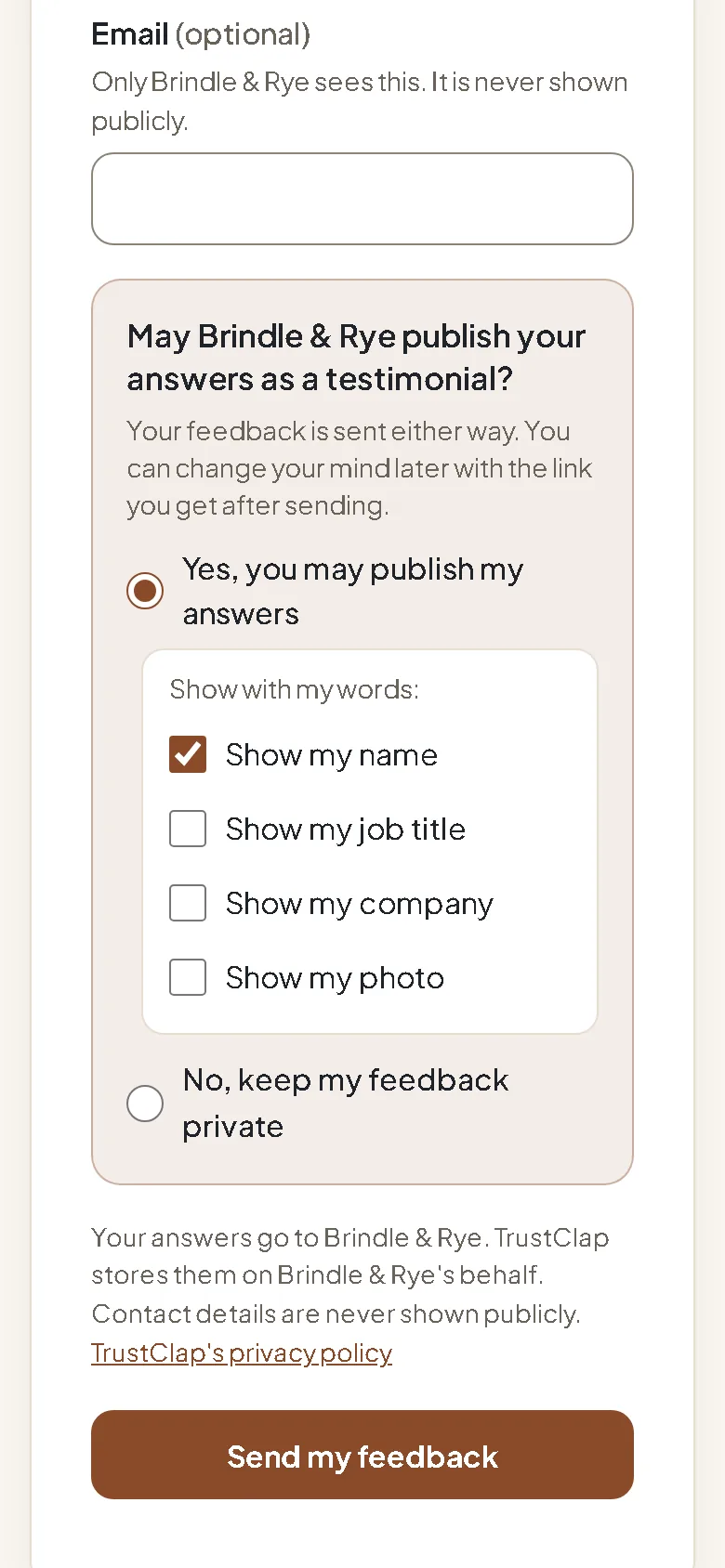
When customers answer through a TrustClap collection page, the release is part of the form, so there is no paperwork to chase or file:
- A separate question, "May [your business] publish your answers as a testimonial?", with "Yes, you may publish my answers" and "No, keep my feedback private". Neither is chosen for them.
- Separate, unticked choices for name, job title, company and photo.
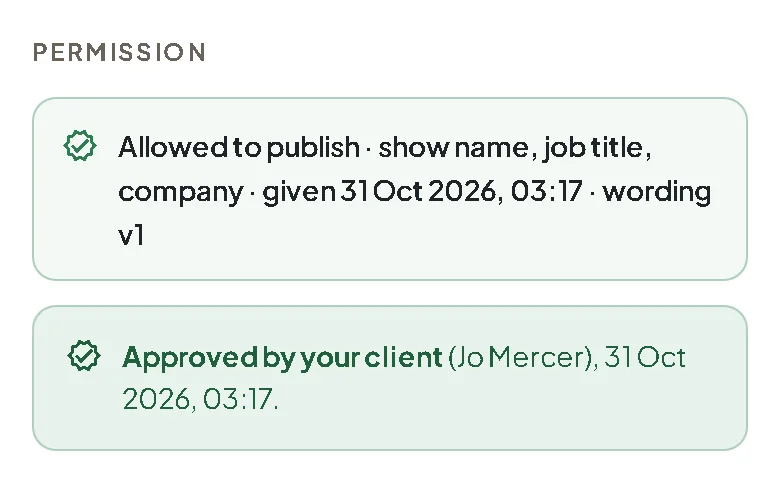
- Each decision is stored with its date and the version of the wording the customer saw.
- Every customer gets a personal link to withdraw their testimonial or hide their details later. Withdrawn testimonials leave your widgets and wall within a minute.
- Testimonials you import from emails or an old website show where they came from, and you confirm you have permission to publish them. Keep the release or the email where the customer agreed.
General information, not legal advice. Rules differ by country and by industry (health and financial services have their own). If you are unsure, ask a lawyer where you do business.