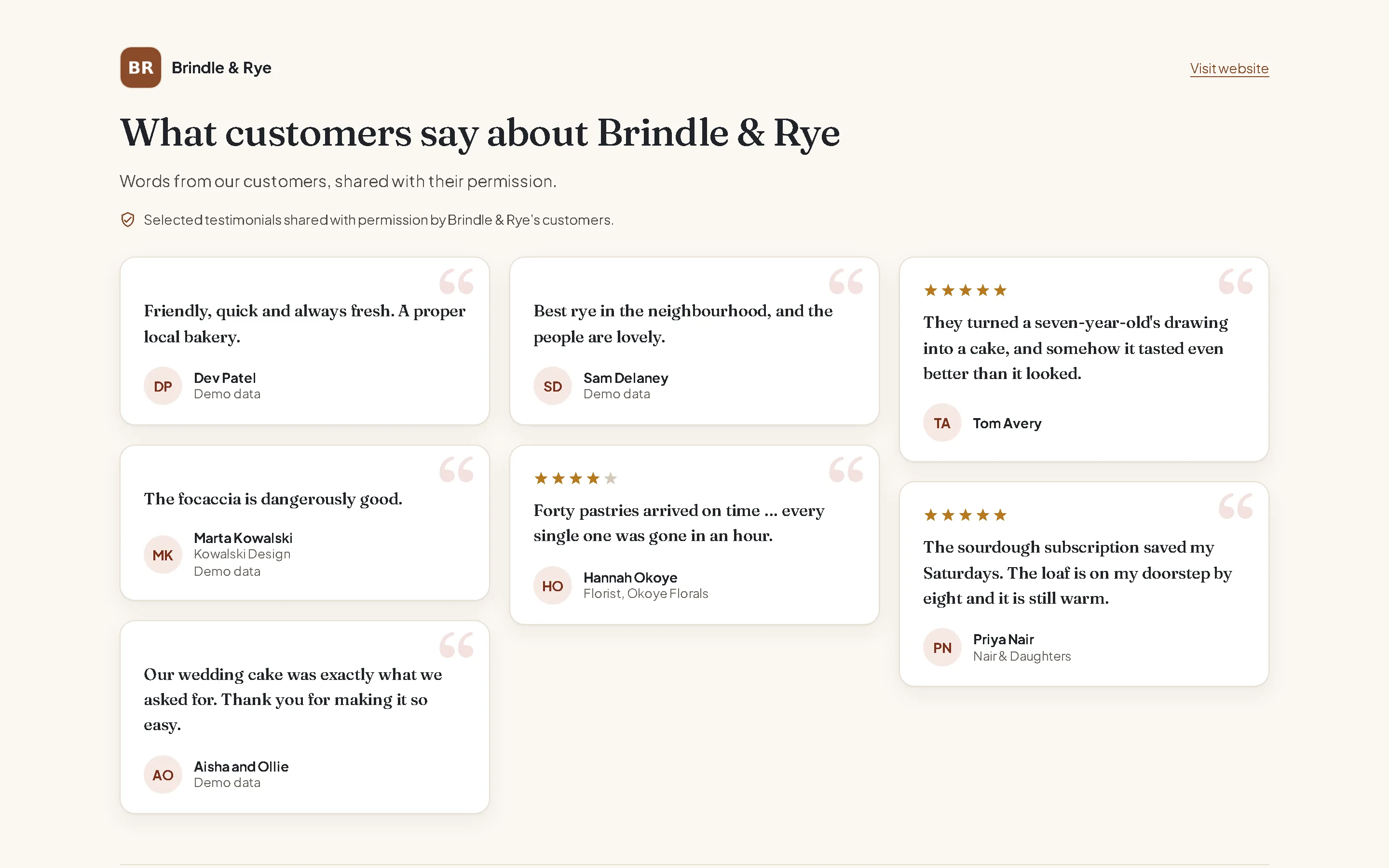
Four testimonial widget layouts
Each one is a real render with example testimonials for a made-up bakery. Free includes the grid; Solo and Agency add all four layouts and advanced styling, and remove the TrustClap credit.
Grid
Every testimonial at a glance, in a masonry layout. On Free, Solo and Agency.

Cards
A row of cards that scrolls sideways, with a heading of your choice.

Carousel
One testimonial at a time, with previous and next buttons.

Quote
One large quote for a landing page or a checkout, with a button for the next one.

It keeps itself current
- Publish a testimonial in TrustClap and it shows on the widget within a minute. Withdraw one and it disappears just as fast.
- Show every published testimonial, or pick the ones that suit a page.
- Ratings appear on individual testimonials only, never as an overall score.
- Imported testimonials show where they came from.
- The widget sets no cookies and loads no third-party trackers; views are counted only as daily totals.
How to add testimonials to your website
In TrustClap, open Widgets, choose a layout and copy the code. It is two lines: a link to your hosted wall, and a small script that turns it into the widget. Paste it where the testimonials should appear:
Any HTML site
- Copy the code.
- Paste it into your page where the testimonials should appear, inside <body>.
- Publish the page.
WordPress (no plugin)
- Edit the page and add a Custom HTML block where the testimonials should go.
- Paste the code and update the page.
WordPress.com runs scripts only on plans that allow plugins. On other plans the block shows the link to your hosted wall.
Squarespace
- Add a Code block where the testimonials should go.
- Paste the code, turn off "Display source" and save.
Scripts in Code blocks need a Squarespace plan that allows custom code. Without it, the block shows the link to your hosted wall.
Wix
- Add Embed code › Embed HTML.
- Choose Code, paste the code and click Update.
- Drag the box taller: Wix shows embeds in a fixed-height box, so give it room for your testimonials.
Wix doesn't resize the box on its own. On phones, check the height in the mobile editor too.
Shopify
- In Online Store › Themes › Customize, add a Custom Liquid section or block.
- Paste the code and save.
Webflow
- Drag an Embed element onto the page.
- Paste the code, save and publish.
Embeds run on the published site; the Designer may only show the link.
Framer
- Insert an Embed and choose HTML.
- Paste the code and publish.
If a site blocks scripts, the code simply shows the link to your hosted wall, so nothing breaks.
A free testimonial widget
The Free plan includes one grid widget and a hosted wall for one business, with up to 25 published testimonials and a small TrustClap credit. It needs no card, and you can keep collecting private feedback without a limit.
Solo adds all four layouts, advanced styling and unbranded widgets. Agency does the same for up to 10 client brands. See the plans and prices.
Start freeA testimonial wall you can link from anywhere
Every brand also gets a hosted wall: a page of its published testimonials to link from emails, social profiles or a QR code, even if there is no website yet. It says "Selected testimonials shared with permission.", and anyone can ask for removal from it; the request comes to you.